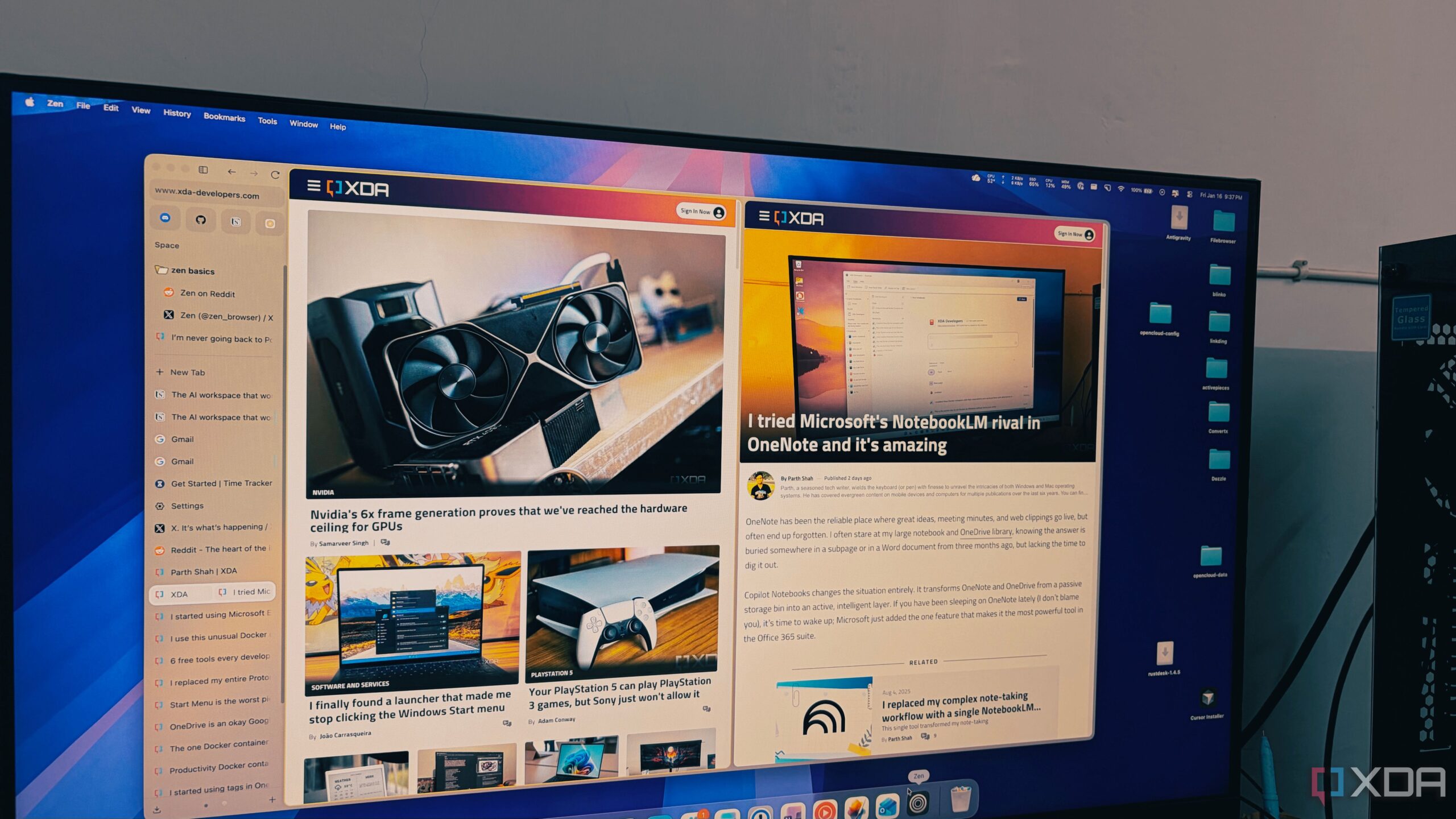
A new entrant in the browser market, Zen Browser, is quickly gaining attention for its superior tab management capabilities, particularly for users who often juggle numerous open tabs. Built on the robust foundation of Firefox, Zen offers a radically minimalist interface that streamlines the browsing experience, making it an appealing alternative to traditional browsers like Google Chrome and Microsoft Edge.
Zen Browser emerges at a time when many users struggle with performance issues related to excessive tab usage. For those who commonly find themselves with over 50 tabs open, the experience can be frustrating as browsers become sluggish and unmanageable. In contrast, Zen has been engineered to handle more than 100 tabs seamlessly, allowing users to maintain productivity without the chaos often associated with heavy browsing.
Innovative Design Enhances User Experience
The design philosophy behind Zen Browser centers on vertical tab management, which fundamentally alters how users interact with their open tabs. Traditional horizontal tab layouts can create a sense of claustrophobia as tabs shrink to nearly unreadable sizes when overwhelmed by quantity. Zen addresses this issue by allowing users to view tabs in a vertical format, which not only preserves visibility but also aligns with how we naturally read text, from top to bottom.
With this vertical approach, users can easily navigate through their tabs, even when managing more than 100 at once. The browser features an auto-hide sidebar that provides an edge-to-edge view of the web, enhancing focus and minimizing distractions. Users can access their full list of open tabs by simply moving their cursor to the left, making it feel as if their entire digital workspace is at their fingertips.
Advanced Features for Improved Productivity
Zen Browser includes a feature called Essentials, which allows users to keep crucial applications such as WhatsApp, Gmail, and Slack easily accessible. Unlike traditional pinned tabs that can still get lost in a sea of temporary research tabs, Essentials creates a permanent dock within the sidebar, ensuring that vital tools remain front and center.
Additionally, Zen offers Workspaces and Firefox’s container feature, which enhances privacy and organization. Users can create distinct workspaces for different projects, preventing overlap between personal and professional tabs. The container capability allows for simultaneous logins to multiple Google accounts without interference, with each container color-coded for quick identification.
The performance of Zen Browser is another area where it excels. Users transitioning from Chrome, Edge, or even Brave to Zen often report a noticeable difference in speed and responsiveness. The Gecko engine powering Zen tends to allocate resources more effectively, preventing the lag that typically occurs with high-volume browsing sessions. As a result, users can keep numerous tabs open without experiencing the slowdown often associated with other browsers.
In an era where efficiency and clarity are paramount, Zen Browser presents itself as a significant advancement in the field of web browsing. While Google Chrome remains the most widely used browser globally, Zen offers a refreshing alternative that caters specifically to the needs of heavy users. Its blend of minimalist design, effective tab management, and performance optimization positions it as a frontrunner for those seeking an organized and efficient online experience.
As more users look for solutions to enhance productivity and manage their browsing habits effectively, Zen Browser stands poised to redefine their expectations for what a web browser can achieve. For individuals who have struggled with traditional browsers, Zen might just be the breath of fresh air needed to transform their digital workspace.